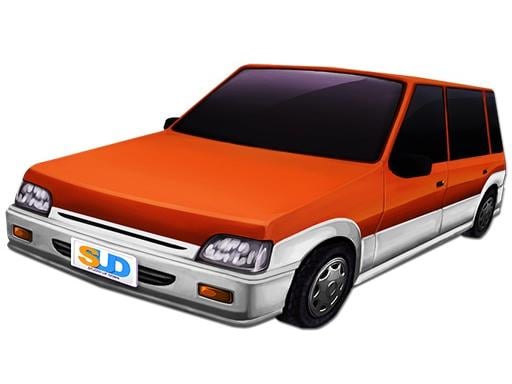
About Lane Change 3D
If you are looking for games with new arcade elements and obstacle-based routes, Lanechage 3D will provide many challenging tracks for you. Players will play the most exciting and cool driving simulation game. Start this perfect challenge, experience this amazing game-playing method, and challenge more fun. Whenever players need to face endless traffic, carefully control your car. Are you ready for this exciting driving adventure in the Lanechage 3D?
Key Game Features
- 100% Free to Play with unlimited sessions and zero credit card requirements.
- Universal cross-platform compatibility: PC, Mac, Chromebook, iPhone, and Android.
- Instant browser streaming with zero software installations or storage consumption.
- Automatic cloud-local progress saving via secure HTML5 LocalStorage.
- Verified malware-free, family-friendly, and COPPA compliant.
How to Play Lane Change 3D
- Launch the Game: Click inside the player window above to focus keyboard and audio controls.
- Learn the Objective: Study level indicators, timers, score goals, and obstacles to navigate stages efficiently.
- Dodge Obstacles & Hazards: Maintain high focus against environmental traps, enemy units, or speed barriers.
- Set New High Scores: Gather collectible stars, power bonuses, and multipliers to achieve leaderboard supremacy!
Official Controls & Keybinds
| Input Device | Key / Gesture | In-Game Action |
|---|---|---|
| Keyboard | W, A, S, D / Arrow Keys | Steer Vehicle, Accelerate & Reverse Braking |
| Keyboard | Spacebar | Handbrake / Drift Cornering Stabilization |
| Keyboard | Left Shift / N | Nitro Speed Boost & Turbo Acceleration |
| Mouse / Touch | Virtual Steering / Touch | On-screen touch accelerator and tilt steering |
Pro Strategies & Winning Tips
- Feather the accelerator when exiting tight hairpin turns to prevent loss of rear traction.
- Save your nitro booster for long straights rather than wasting it during low-speed corners.
- Utilize the handbrake briefly right before apex entry to induce smooth, controllable drift angles.
- Upgrade your tires and suspension before top speed to ensure stability over track bumps.
- Play in Fullscreen: Click the 'Fullscreen' button above to eliminate browser distractions and gain wider peripheral vision!
Frequently Asked Questions
Is Lane Change 3D completely free to play on Loki?
Yes! Lane Change 3D is 100% free with unlimited play sessions. No subscription, deposit, or registration is ever required.
Can I play Lane Change 3D on mobile phones, tablets, or Chromebooks?
Absolutely. Lane Change 3D is built with responsive HTML5 WebGL frameworks, automatically adapting to touchscreen gestures on iOS and Android as well as keyboard and mouse on desktop and Chromebooks.
How do I save my progress or high scores in Lane Change 3D?
Your level progression, unlocked upgrades, and personal high scores are automatically preserved in your browser's secure HTML5 LocalStorage.
How do I report a glitch or suggest an improvement for Lane Change 3D?
You can click the bug report icon right beside the game player or email our support desk at support@loki.mom.