About Batman Commander
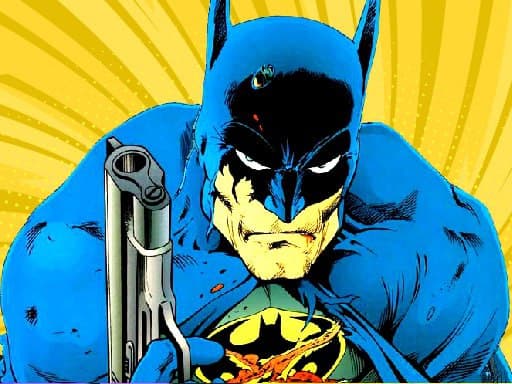
Batman Commander is an attractive action game for you. This game is suitable for those of you who like to fight. In the game, the Aliens have taken over a village. They destroyed the street, trees, and more, some of the inhabitants were killed, and the other half fled. The houses were all burned down. As a superhero, Batman cannot be ignored. He decided to carry a gun to help the locals by killing the aliens. These aliens have different shapes, so Batman needs to be careful in his actions. That's why Batman needs your help. In the game, you help Batman fight with the aliens, and you should observe and use the bullets in a reasonable way to destroy the aliens in the best way. There are some special functions such as: freezing or accelerating, and you take full advantage of them. Good luck.
Key Game Features
- 100% Free to Play with unlimited sessions and zero credit card requirements.
- Universal cross-platform compatibility: PC, Mac, Chromebook, iPhone, and Android.
- Instant browser streaming with zero software installations or storage consumption.
- Automatic cloud-local progress saving via secure HTML5 LocalStorage.
- Verified malware-free, family-friendly, and COPPA compliant.
How to Play Batman Commander
- Launch the Game: Click inside the player window above to focus keyboard and audio controls.
- Learn the Objective: Study level indicators, timers, score goals, and obstacles to navigate stages efficiently.
- Dodge Obstacles & Hazards: Maintain high focus against environmental traps, enemy units, or speed barriers.
- Set New High Scores: Gather collectible stars, power bonuses, and multipliers to achieve leaderboard supremacy!
Official Controls & Keybinds
| Input Device | Key / Gesture | In-Game Action |
|---|---|---|
| Mouse | Left Click / Right Click | Primary Fire / Aim Down Sights (ADS) |
| Keyboard | W, A, S, D | Tactical Movement, Strafe & Evasion |
| Keyboard | R / Spacebar | Reload Weapon Clip / Combat Jump |
| Touchscreen | Virtual Touch Joystick | Dual-stick aiming and auto-fire touch controls |
Pro Strategies & Winning Tips
- Always aim for critical weak points (headshots or engine cores) for maximum damage output.
- Reload behind solid cover rather than in the open when your magazine reaches low capacity.
- Keep moving while firing; stationary players are easy targets for enemy snipers.
- Listen for spatial audio cues to anticipate enemy wave directions before they appear on screen.
- Play in Fullscreen: Click the 'Fullscreen' button above to eliminate browser distractions and gain wider peripheral vision!
Frequently Asked Questions
Is Batman Commander completely free to play on Loki?
Yes! Batman Commander is 100% free with unlimited play sessions. No subscription, deposit, or registration is ever required.
Can I play Batman Commander on mobile phones, tablets, or Chromebooks?
Absolutely. Batman Commander is built with responsive HTML5 WebGL frameworks, automatically adapting to touchscreen gestures on iOS and Android as well as keyboard and mouse on desktop and Chromebooks.
How do I save my progress or high scores in Batman Commander?
Your level progression, unlocked upgrades, and personal high scores are automatically preserved in your browser's secure HTML5 LocalStorage.
How do I report a glitch or suggest an improvement for Batman Commander?
You can click the bug report icon right beside the game player or email our support desk at support@loki.mom.